


Honeycam Pro-Live Video Chat
3.191.00 Reviews
App Specs
- Version
- 2.31.0
- Updated On
- License
- Free
- Downloads
- 1,000,000+
- Developer
- Honeycam Team
- Categories
- Social
- Platform
- Android
Screenshots



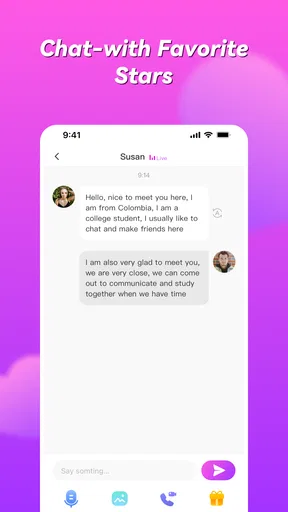

 Analysis by AppCompare
Honeycam Pro-Live Video Chat is the kind of social app I would open when ordinary messaging feels too slow and I want a more immediate connection with someone elsewhere. It focuses on live video calls and chat with people around the world, so the quality of the experience depends heavily on the moment: who is available, how comfortable the conversation feels, and whether the network can keep video moving smoothly. I found it more spontaneous than a conventional messaging app, but also less predictable.
Developed by Honeycam Team, it sits in the social category and is free to install. The app is aimed at mature users, with a 17+ content rating, and it includes optional purchases ranging from $0.99 to $199.99 per item. That combination matters: this is not simply a private video-call utility for family members. It is built around meeting and chatting with people beyond your existing contacts, which makes personal boundaries, patience, and careful use just as important as the camera and chat tools.
How Honeycam feels when the connection is doing the work
My first impression was that the appeal comes from immediacy. A text conversation gives me time to edit a reply, while a live video interaction asks me to react naturally. That can make a short exchange feel more personal, especially when both people are comfortable with the format. It can also make awkward pauses much more noticeable. Honeycam is therefore best understood as a social discovery space rather than a replacement for every messaging service I already use.
The app has attracted more than a million installs and holds an average rating of 3.1 from roughly 1,500 ratings. I read that combination as a useful warning against expecting a universally polished experience. There is clearly interest in the concept, but the rating suggests that the actual experience may vary from one user and connection to another. I would not install it expecting every conversation to be equally engaging or every call to behave perfectly.
In a strong network environment, live video can make distance feel smaller. Facial expressions, timing, and tone carry information that is easy to lose in text. I especially liked the possibility of moving from a brief chat into a more natural conversation without preparing a formal message or arranging a call through a separate service. That immediacy is the app’s strongest reason to exist.
At the same time, video is less forgiving than text when a connection weakens. A delayed message is merely inconvenient; a frozen image or broken audio interrupts the social rhythm. A conversation that would have been enjoyable in text can become tiring when I am repeatedly wondering whether the other person heard me. This is why I recommend treating Honeycam as a flexible social option, not as a dependable channel for important conversations.
Why the network changes the social experience
Connectivity is not a background detail here. It shapes how quickly a conversation begins, whether the other person can respond naturally, and how long I am willing to stay. When the connection is stable, I can focus on the person rather than the technology. When it is inconsistent, I start shortening my replies, repeating myself, or switching away from video altogether.
Worth Reading Before You Choose

EA SPORTS FC Mobile 26 Is a Bigger Football Game, but It Takes Time

Flipboard Shows What News Apps Must Do Beyond the Feed

Switching to Android Auto Means Rethinking Your Driving Routine

Google Calendar Makes a Crowded Week Easier to Manage

Ludo King Makes the Most of the Minutes Between Plans

Baby Panda World Brings Quick Play to Modern Phones, but Its Game Library Feels Busy
A practical habit is to begin with a short exchange before committing to a longer call. I would use that opening to check whether messages are arriving normally and whether the video conversation feels comfortable. This simple approach avoids spending a long time inside a call that is already showing signs of delay. It also gives both people an easy chance to leave without making the interaction feel like a failure.
Honeycam works better for casual moments than for carefully planned meetings. If I needed a reliable conversation with a known person, I would usually choose a familiar messaging or video-call service with contacts, scheduling, and established expectations. Honeycam has a different strength: it lowers the formality of meeting someone new. That can be refreshing, but it also means I need to bring more judgment to each interaction.
Using it during ordinary mobile moments
The mobile format makes the app easy to imagine in everyday situations: a quiet break, a commute while safely stationary, or an evening when I want conversation without arranging plans in advance. I would not use it while walking through traffic, driving, or doing anything that needs full attention. Live video encourages eye contact with the screen, and that can quickly become unsafe in a busy environment.
Small changes to my surroundings made a noticeable difference to comfort. A stable place to sit, a less distracting background, and enough light for the camera made the interaction feel less strained. These are not special Honeycam features; they are practical choices that matter more when the app is designed around live presence. If I am in a noisy public place, text chat is usually the more considerate option.
I also found that a phone’s battery condition can influence how long live video feels practical. A short conversation may be fine, but I would avoid starting a lengthy session when the phone is already low on power or warm from other activity. Video calling asks more from a mobile device than ordinary text, so a little preparation prevents the app from becoming an unwanted interruption later.
One useful mobile workflow is to decide what I want from the session before opening it. If I want a quick social exchange, I can keep the interaction light and leave easily. If I am hoping for a deeper conversation, I should choose a quieter place and allow enough time for the first few minutes to settle. Without that intention, it is easy to drift through disconnected chats and come away feeling that the app offered activity but not much value.
What happens when a call goes wrong
Connection problems are the main test of any live chat app, and Honeycam is no exception. If video becomes choppy, my first response is to stop trying to talk over the problem. I would send a short message, wait for the connection to recover, and then decide whether continuing makes sense. Repeating the same sentence several times usually creates more frustration than simply ending the call politely.
Moving to a location with a clearer signal can help, but I would not assume that every interruption is caused by my own phone. The other person may be dealing with an unstable connection, a busy network, or a device that is struggling with video. That uncertainty is another reason to avoid treating a dropped call as a personal rejection. Live communication has more points of failure than text.
My preferred recovery routine is simple: check whether chat messages still move, try one concise reconnection, and leave if the problem continues. I would not repeatedly reconnect with someone who has stopped responding. That protects my time and keeps a technical problem from turning into uncomfortable pressure. The app is more pleasant when I accept that some conversations will end early.
This is also where Honeycam differs from a conventional contact-based messenger. With a familiar contact, I can usually explain the interruption and resume later. With a new person, there may be no shared context or reason to expect another attempt. The spontaneity is attractive, but it comes with less continuity. Users who value reliable follow-up may prefer an app centered on established contacts.
Keeping mobile data and spending under control
Live video can consume data more quickly than text, so I would avoid assuming that a free installation means every style of use is cost-free. The app itself is free, but optional purchases are available, and individual items can cost from $0.99 up to $199.99. I would review any purchase prompt carefully, especially if I am experimenting with the app for the first time.
My advice is to set a personal spending limit before using social apps with optional purchases. That is more useful than relying on the excitement of a live conversation to make decisions. If the app presents a purchase during an engaging interaction, I would pause and ask whether it adds something I genuinely want or whether I am reacting to the moment. The large gap between the smallest and largest listed item makes that caution particularly important.
For data-conscious use, I would reserve longer video sessions for a trusted connection and use shorter chats when relying on mobile data. I would also avoid leaving the app open while doing other tasks, because a live social session can continue consuming attention even when the conversation has lost momentum. These habits do not change the app’s features, but they make the experience easier to control.
There is a trade-off between picture quality, convenience, and resource use in any live video service. Honeycam’s appeal is the sense of being present with another person, yet that benefit disappears if I am distracted by data limits or battery concerns. Users with restricted mobile plans may find a text-first service more comfortable for regular communication, using video only when the connection and circumstances are suitable.
Who will enjoy it, and who should skip it
I think Honeycam is a reasonable fit for adults who enjoy spontaneous social conversations and are comfortable meeting people outside their existing circle. It suits someone who wants more immediacy than text but does not need every interaction to become a lasting contact. The app can also appeal to users who enjoy practicing casual conversation across different backgrounds, provided they remain realistic about the unpredictability of live social spaces.
I would be more cautious recommending it to anyone looking for a controlled environment for children, a professional meeting tool, or a dependable way to reach family during an important event. The mature rating alone should make parents avoid treating it as a general-purpose family app. People who dislike appearing on camera, feel uncomfortable with strangers, or prefer carefully moderated contact lists may also find the format stressful rather than fun.
Privacy and personal boundaries deserve attention even when the conversation feels friendly. I would avoid sharing an address, workplace details, financial information, private images, or anything that could identify where I live. If someone pushes for information or makes the interaction uncomfortable, ending the conversation is the sensible response. The ability to connect quickly is useful only when I remain in control of what I reveal.
Another realistic scenario is a user who installs the app late in the evening hoping for conversation after a long day. Honeycam may provide a welcome sense of company, but it may also produce a string of brief or awkward interactions. I would approach that situation with modest expectations and a clear stopping point. If I needed dependable emotional support, I would choose a trusted person or a service designed for that purpose instead.
How it compares with familiar alternatives
Compared with ordinary messaging apps, Honeycam feels more immediate and less structured around people I already know. That is its main advantage and its main weakness. A traditional messenger is usually better for keeping a conversation organized, sending information that can be reread, and maintaining contact over time. Honeycam is more appealing when discovery and live presence matter more than continuity.
Compared with established video-call tools, it feels less suited to planned calls with a known group. Those tools generally fit work, family appointments, and scheduled conversations more naturally. Honeycam’s value is the casual social encounter, not the formal meeting. If I needed predictable attendance, clear responsibility, or a conversation that must happen at a specific time, I would choose the established video-call option.
Compared with text-only social platforms, the camera changes the emotional stakes. Video can help me judge tone and build rapport faster, but it also removes some of the safety of distance. Text gives me time to think and makes it easier to leave a conversation quietly. Honeycam asks me to be more present, which can be rewarding when the match is good and exhausting when it is not.
The best way to use it is therefore selective rather than constant. I would not replace every social app on my phone with Honeycam. I would keep it for moments when I specifically want live interaction, then switch to a more familiar service when I need records, reliability, or contact with people I already trust.
What the current release means for trying it
The current version is 2.31.0 and supports devices running Android 6.0 or later. That makes it accessible to many older Android phones, although the practical experience will still depend on the device’s camera, battery condition, and network performance. A compatible operating system does not guarantee that every phone will feel equally comfortable during extended video use.
Honeycam was released on March 13, 2023, and the developer is Honeycam Team. I mention those details because they help place the app in context: it is not a decades-old communication standard that everyone already understands. New users should spend a little time learning the flow of conversations and purchase prompts instead of assuming it will behave exactly like their usual messenger.
The rating of 3.1 is neither a reason to dismiss the app nor something I would ignore. It matches my broader impression that the concept is appealing, while the real experience depends on connection quality, the people available, and how carefully the user manages expectations. A large install base shows that the idea has reach, but reach alone does not make every interaction worthwhile.
My connectivity verdict
Honeycam Pro-Live Video Chat is best when I treat connectivity as part of the experience, not as an invisible utility. A stable connection can turn a quick exchange into a surprisingly natural conversation. An unstable one can make the same app feel confusing and tiring. My strongest recommendation is to start small, use it in a safe and quiet setting, watch spending, and leave conversations that no longer feel comfortable or useful.
I would recommend it to adults who want spontaneous live social contact and are willing to accept uneven results. I would not recommend it as my primary tool for important calls, private family communication, professional meetings, or situations where offline access and guaranteed continuity are essential. For those needs, a conventional contact-based messenger or established video-call service is the better choice.
In the end, Honeycam’s success depends less on how long I stay inside it and more on whether each session fits my reason for opening it. Used selectively, it can add a lively alternative to text and introduce conversations that would not happen through a normal contact list. Used without boundaries, it can consume attention, data, and money without delivering much connection. That balance makes it worth trying for the right adult user, but not a universal replacement for the communication tools already on a phone.
Pros
- Quick access to live video rooms and one-to-one conversations.
- Interactive features make chats feel more engaging than standard messaging.
- User profiles help you discover people with similar interests.
- The interface is easy to understand for first-time users.
- Useful for casual socializing without needing advanced technical skills.
Cons
- Some features may require paid credits or in-app purchases.
- Live chat quality can depend heavily on your internet connection.
- Public rooms may include conversations unsuitable for younger users.
- Privacy settings should be checked carefully before sharing personal details.
- The experience may feel repetitive if you prefer structured social apps.
FAQs for Honeycam Pro-Live Video Chat
What is Honeycam Pro-Live Video Chat?
Honeycam Pro-Live Video Chat is a social communication app focused on live video conversations and meeting new people online. After exploring its interface, the main experience centers on browsing profiles or live users, starting video or text interactions, and building connections through the app’s community features. Availability, matchmaking options, and specific tools may vary depending on your country, account status, and app version.
Is Honeycam Pro-Live Video Chat free to download and use?
The app may be free to download, but some communication features, virtual items, premium functions, or extended interactions can require in-app purchases or a subscription. Before using paid features, check the pricing page carefully because credits and memberships may renew or have different limitations. Users should also review the store listing and payment settings to understand what is included in the free experience.
Is Honeycam Pro-Live Video Chat safe for meeting strangers?
As with any live video chat platform, users should be careful when communicating with people they do not know. Avoid sharing your address, phone number, passwords, financial details, or private documents. Use the app’s blocking and reporting tools whenever someone behaves suspiciously or makes you uncomfortable. Parents should also be aware that live social apps may not be suitable for children without supervision.
Does Honeycam Pro-Live Video Chat require a camera and microphone?
The application is designed around live communication, so camera and microphone access may be necessary for video calls or live interactions. You can usually manage these permissions through your Android or iOS privacy settings and deny access when you do not want to use video or audio. A stable internet connection, suitable lighting, and headphones can improve call quality and reduce background noise.
What should I check before downloading Honeycam Pro-Live Video Chat?
Before installing Honeycam Pro-Live Video Chat, check whether your device meets the current Android or iOS requirements and confirm that the app is available in your region. Read the latest privacy policy, user reviews, subscription terms, and permissions requested during installation. It is also worth checking whether the app contains advertising, virtual currency, age restrictions, or automatic renewal before creating an account.


